| ⚠️ This application has reached the end of its service life, use Language Board ⚠️ |
Desktop Flick - Japanese flick keyboard for desktop.
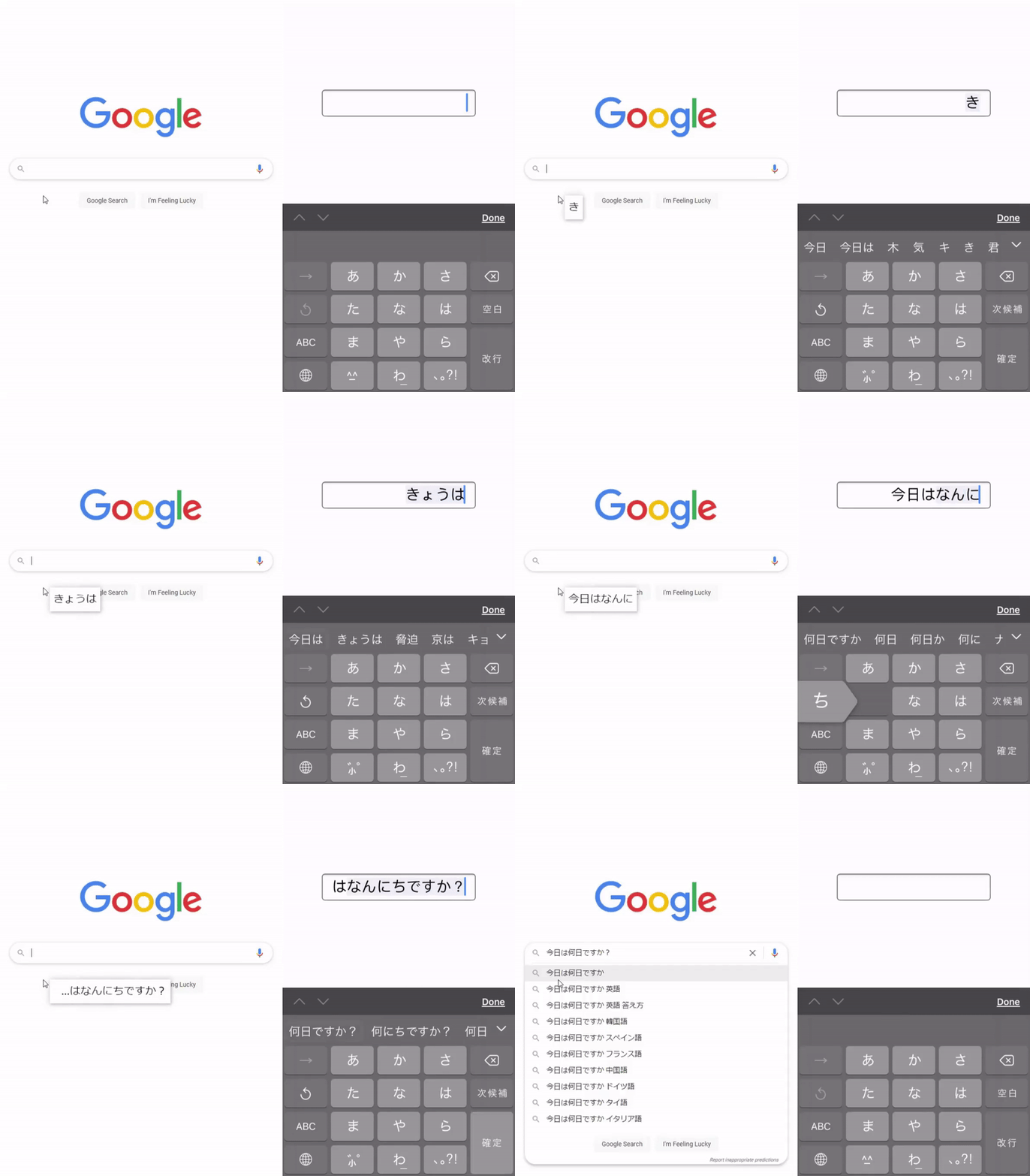
Desktop Flick uses your mobile device's keyboard and mirrors the output onto the desktop. This application works with any mobile keyboard language.
📃 Installation
⚠ Running this application may trigger your antivirus; this is a FALSE POSITIVE. Add this application to the exception list if you don't want to see alerts.
This application doesn't add a new keyboard, you need to add them to your mobile device first.
- Download the latest release.
- Either run the installer or extract the zip into the desired directory.
- Installer installs into
AppData/Local/Desktop-Flick.
- Installer installs into
- Run
Desktop-Flick.exe. - Login with mobile device (you must be on the same internet network).
- Start typing.
⚙️ Configuration
Default port is 7272, this can be changed by going to the config.json and changing the port value. This config is generated on the first run.
{
    "port": 7272
}
👨💻 Contributing


- Build using
npm run buildornpm run prepare. Make sure to runnpm run rebuildfirst. - Test builds using
npm run start:dev - Package builds using
npm run make
💼 License
This software is released under the GNU General Public License (GPL) v2.0.
 TypeScript
  JavaScript
  Electron
  Node.js
  HTML5
HTML5  CSS3
CSS3  Visual Studio Code
  GitHub
  GitHub Actions
  Windows